Projects and revisions
Save editable work as a .cboard file. A project contains scenes, shots, panels, layers, artwork, brush definitions, animation, and referenced asset data. PNGs, PDFs, and movies are exports, not replacements for the project.
Try a change and return to the original. Can you recover the drawing before an edit?
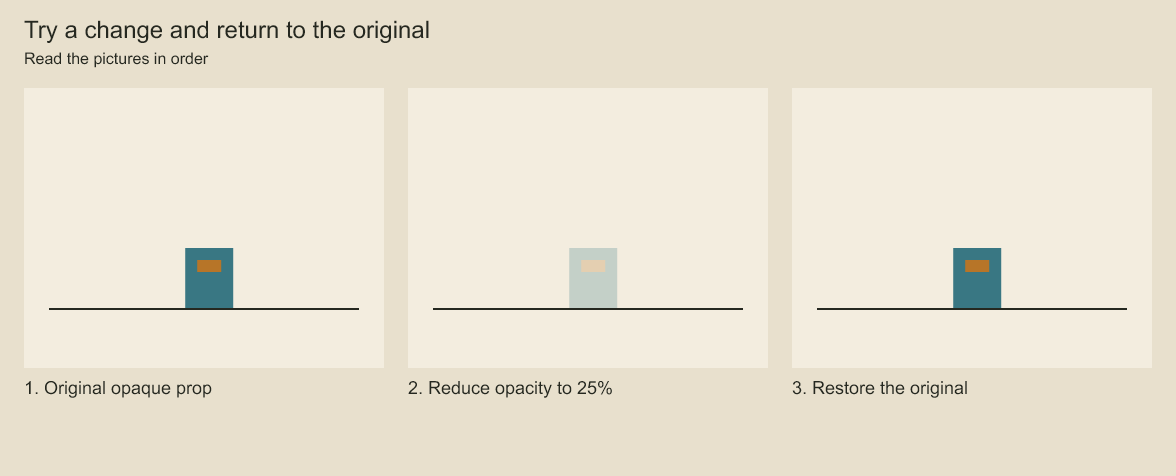
The prop becomes translucent in the middle image. The restored image returns to the opaque original. A saved checkpoint lets you return to an earlier state after making a change.
Configure production settings
Keep reusable project presets in code. Spread a shared options object into StoryboardProject.create(); no preferences file or background scheduler is required. Creation validates dimensions, FPS, seed, and document structure immediately.
Edit an existing project through configure() instead of rebuilding its JSON:
project.configure({
  title: 'Episode 01',
  author: 'Studio',
  canvas: { width: 1920, height: 1080, applyTo: 'all-panels' },
  frameRate: { value: 24, timing: 'preserve-seconds' },
});
await project.save('film.cboard');
configure() is one undoable edit. Invalid options, foreign locks on changed objects, collapsed timing, or unsafe frame positions reject the entire edit, including when you catch the error inside another transaction. Unchanged settings do not add a revision. Use author: null to remove the author. seed changes the stored project field; the renderer currently uses per-stroke seeds, so this does not reseed artwork or change its rendered texture.
Canvas width and height apply to newly created panels by default (applyTo: 'new-panels'). Choose all-panels to also replace the specified dimensions on existing panels. Artwork, camera coordinates, and review positions keep their coordinates: resizing changes the viewport, not the scale of the drawing. Background is a project-wide render setting. Movie export requires every panel to match the project dimensions.
Changing FPS requires an explicit timing policy:
preserve-framesleaves every frame count unchanged. Playback duration changes, including frame-based audio trims and fades; source audio is not time-stretched.preserve-secondsconverts panel boundaries, layer/camera keys, exposures, drawing changes, stroke reveals, transitions, comments, and audio timing to the new timebase. Positions round to the nearest frame, with half frames rounded up. Shared boundaries stay shared. Audio source offsets and durations are converted too, preserving source time to frame precision. Pen sample times stay in milliseconds.
Lowering FPS can merge distinct keys or erase a short exposure, transition, reveal, or panel. Conversion rejects these cases instead of deleting information; revise the affected timing first. Populated locked audio tracks must be unlocked before either FPS change. Fractional FPS values are supported. This operation resamples authored frame positions; it does not guarantee identical interpolation between those positions after rounding.
The CLI accepts the same ProjectChanges object in a JSON file:
codeboard configure film.cboard delivery-settings.jsonThe command validates the complete edit and saves through the normal stale-writer check. It does not force an overwrite.
Save and reopen
await project.save('film.cboard');
const reopened = await StoryboardProject.open('film.cboard');
const panel = reopened.panel('notice');
panel.revise({ action: 'The keeper notices the broken light.' });
await reopened.save('film.cboard');
Keep IDs stable across sessions. Panel names, labels, and order can change without changing their identity. A save rejects a stale writer if another session changed the same file. Reopen the latest file and reapply the intended edit instead of forcing an overwrite.
overwrite: true deliberately replaces an existing project. Reserve it for generated outputs you own, such as the quickstart starter file. Do not use it for routine revisions.
Separate source and outputs
A useful working folder is:
my-film/
  scene.mjs
  revise.ts
  assets/
  film.cboard
  renders/
The authoring script creates artwork; the project preserves its editable state; render files are disposable outputs. If you revise the saved project, reopen it in your next script rather than rerunning a generator that replaces it.
Save a named revision
import { ProjectStore } from 'codeboard-studio';
const store = ProjectStore.open('film.cboard');
try {
  store.saveRevision('before-camera-change', { expectedVersion: store.version });
  console.log(store.listRevisions({ limit: 10 }));
} finally { store.close(); }
Revision names must be unique. Revisions share unchanged artwork and assets with the project. They retain a state you can restore in another session; in-memory undo history is for the current authoring session.
const store = ProjectStore.open('film.cboard');
try {
  store.restoreRevision('before-camera-change', { expectedVersion: store.version });
} finally { store.close(); }
After restoring, reopen the project before further editing. Restoration changes the saved head; keep a named revision of any newer work you still want.
Read a single panel
const store = ProjectStore.open('film.cboard');
try {
  console.log(store.findObjects({ panelId: 'notice', limit: 20 }));
  const panel = store.readPanel('notice');
  console.log(panel.title, panel.durationFrames);
} finally { store.close(); }
For a small artwork-only edit, use updatePanel(panel, { expectedVersion }). Use StoryboardProject.open() when adding or removing objects, changing timeline relationships, or retiming. Always close a store when finished.
Reuse artwork
production.captureComponent(layerId, name) stores a reusable static group or layer. instantiateComponent(componentId, panelId, transform) places a copy into another panel. Local edits belong to that instance. Source updates require reviseComponent, followed by an explicit refreshComponentInstance where you want them applied. Refresh replaces that instance's local artwork, so preserve local changes first.
Check a project file
codeboard validate film.cboardValidation checks the container and its references. Keep backups of valuable work. If a file fails validation, retain the original for recovery instead of overwriting it with a new project.
Assets and source files
production.addAsset registers an image or audio source; updateAsset revises its metadata or path. Linked paths resolve against assetRoot when saving. project.readAsset(id) reads embedded bytes from an opened project. With a store, readAsset(id) and extractAssets(directory) retrieve saved asset data.
Changing an asset's path, checksum, kind or MIME type requires resolving its source again. Missing replacement media raises ASSET_MISSING; mismatched bytes raise ASSET_CHECKSUM_MISMATCH. Both reject the saved transaction, preserving the previous embedded asset and saved version. A failed edit-plan commit creates no receipt and can retry after the correct file becomes available. Metadata-only edits retain existing embedded bytes. Save As also retains embedded bytes for unchanged source declarations, even if their original files are gone; changed declarations cannot silently copy the old media. Relative replacement paths resolve against the destination file's directory unless assetRoot is supplied.
An explicit assetRoot reloads all declared assets from that location, including unchanged declarations, and requires them to exist. It does not fall back to embedded bytes when a file there is missing. Existing checksum pins still apply.
An explicit overwrite cannot borrow media from the destination merely because asset IDs and paths match. It requires external source bytes or, for Save As from an opened project, matching media from that project's version-checked reader. Ordinary saves without overwrite retain unchanged embedded assets.
Adding an image asset does not place it on a layer. Decode its pixels and create a raster surface when you want it in the composition. Brush tips are retained with their stroke definitions. Save/open does not depend on rerunning authoring code or fetching an AI model.
Revisions and storage size
saveRevision stores a named state that shares unchanged payloads. readRevision(name) reads that state without changing the active head; readPanel(id, { revision: name }) reads one panel from it. restoreRevision changes the saved head and requires an expected version.
Use deleteRevision(name) only when that checkpoint is no longer needed. compact() removes unreferenced stored data after revisions and artwork are discarded; it is a deliberate maintenance operation, not something to call after every small edit. Keep the project closed in other editing sessions while doing maintenance.
The .cboard container separates structured metadata, binary artwork payloads, and embedded assets. store.inspect() reports storage information. File size depends on the actual artwork, assets, and retained revisions; an MP4's size is not a useful estimate of the editable project's size.
Version checks and undo boundaries
Most production edits accept { expectedVersion }; use the version observed before a coordinated edit to reject stale assumptions. A project transaction groups synchronous changes into one undoable unit and rolls back if an operation throws. Do file reads and asynchronous renders outside its callback.
In-memory undo() and redo() do not substitute for named saved revisions across sessions. toJSON() materializes the document for interoperability and debugging; it is not the recommended persistence format or a bounded inspection call.
Codeboard by Nonom Friedman
Explore Nonom Library