Brushes
A brush combines a tip, settings, and optional paper texture. A tip describes the stamped shape; settings control spacing, size, opacity, taper, and dynamics. The Codeboard brush engine paints those stamps along your path.
Let pressure shape the stroke. What does pen pressure change?
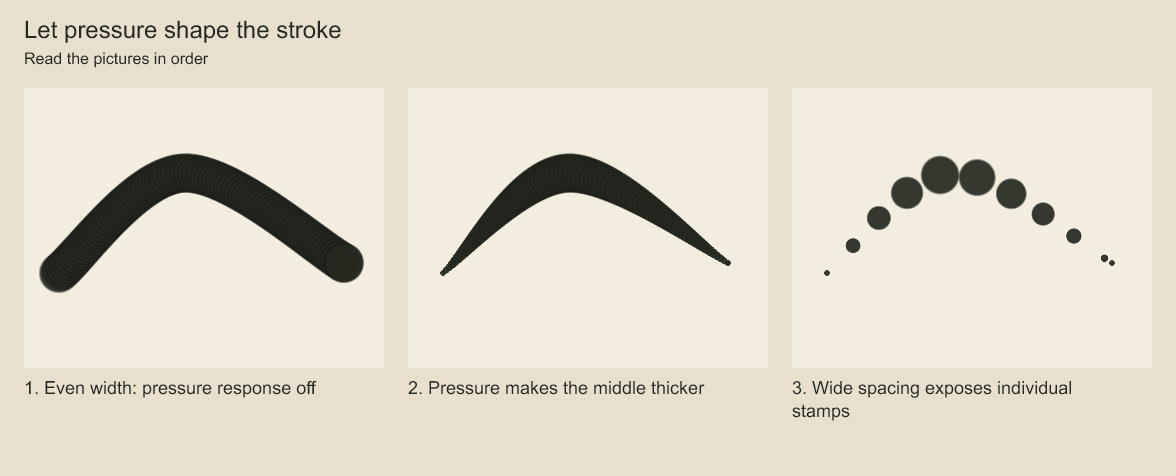
Compare the width at the ends and middle, then look for separate brush stamps. Pressure response and stamp spacing affect the same recorded gesture differently.
Customize a preset
import { brushes, customizeBrush, renderBrushSwatch } from 'codeboard-studio';
import { writeFile } from 'node:fs/promises';

const pencil = customizeBrush(brushes.roughPencil, {
  id: 'brush:soft-pencil', name: 'Soft pencil', size: 18,
  opacity: .65, spacing: .15,
  dynamics: { pressureSize: .8, pressureOpacity: .6 },
});
await writeFile('pencil-swatch.png', await renderBrushSwatch(pencil));
Built-in presets are roughPencil, cleanInk, shadeBrush, charcoal, and softEraser. Customize a copy rather than changing a shared definition.
The same pressure-varying curved path, rendered with three settings:
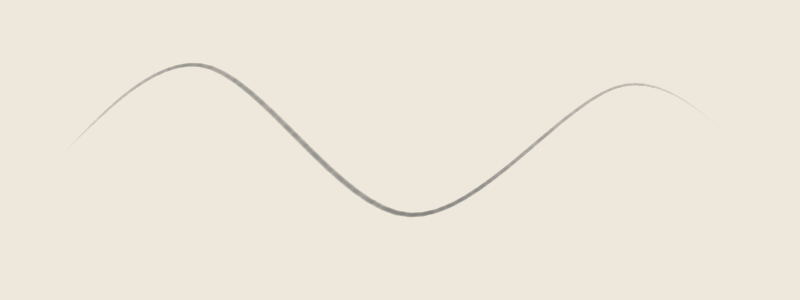
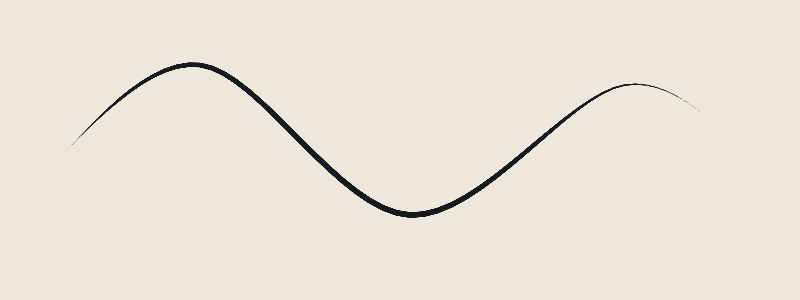
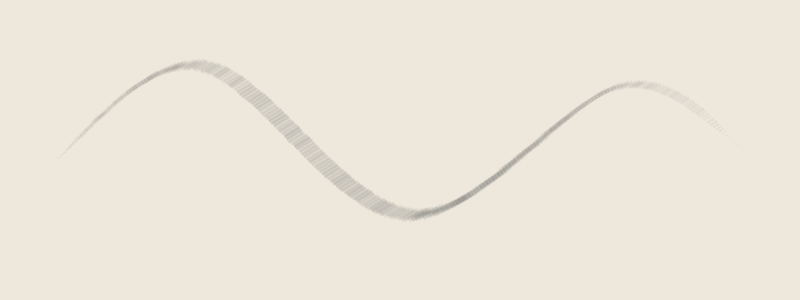
The third swatch uses customizeBrush(brushes.charcoal, { texture: 'dry-brush', textureStrength: .75 }). BrushPreset and BrushDynamics describe the complete fields; brush functions list import and swatch calls.
| Setting | Effect |
|---|---|
size | Tip width in canvas units |
opacity, flow | Paint transparency and accumulation |
hardness | Tip edge falloff |
spacing | Distance between stamps, relative to brush size |
taperStart, taperEnd | Narrow the stroke near its ends |
tip.rotationMode | Fixed, path-following, or stylus orientation |
texture, textureStrength | Procedural graphite, charcoal, or dry-brush texture |
paperTexture | A repeating bitmap texture attached to the artwork |
dynamics | Responses to pressure, speed, tilt, and rotation jitter |
Use brushParameterSchema to inspect the full preset structure as JSON Schema. Set an explicit stroke seed when using randomized texture or rotation jitter.
Import a bitmap tip
For preset dependencies, texture resources, and selecting among several tips, use the resource import guide.
import { importBrushResource, brushFromResource } from 'codeboard-studio';

const report = await importBrushResource('my-tip.png', {
  maskMode: 'alpha', maxTipSize: 256,
  origin: {
    source: 'My painted tip', author: 'Me',
    license: 'CC0-1.0', redistribution: 'allowed',
  },
});
console.log(report.missingDependencies, report.unsupported, report.warnings);
if (!report.resources.length) throw new Error('No usable tip in this resource');
const brush = brushFromResource(report.resources[0], {
  ...brushes.cleanInk, id: 'brush:painted-tip', name: 'Painted tip', size: 64,
});
await writeFile('tip-swatch.png', await renderBrushSwatch(brush));
Use alpha for transparent PNG tips, or luminance / inverse-luminance to derive a mask from brightness. A bitmap tip uses the stroke's chosen color; it does not paint the original RGB image as a color stamp. maxTipSize controls import resolution, with a maximum of 512 pixels; review any resize warning before using the brush.
External resource support
| Format | What you can use |
|---|---|
| PNG | Bitmap alpha or brightness masks |
| GBR | GIMP v1/v2 grayscale and RGBA tips |
| GIH | Individual GBR cells; choose the cell to use |
| ABR | Sampled 8-bit tips from v1/v2 and v6.1/v6.2 |
| KPP | Preset metadata, supported settings, and resolved embedded or linked tips |
| BUNDLE | Supported brushes, patterns, and presets inside a Krita resource bundle |
Read the import report before painting. Foreign engine behavior is not reproduced automatically. GIH cell-selection behavior, computed ABR tips, and many Photoshop/Krita dynamics are unsupported. A KPP preview image is not used as a brush tip. Missing dependencies remain reported rather than being replaced with a round brush.
Record the actual source and license of resources you import. Only set redistribution: 'allowed' when you have permission to distribute the resource.
Create a custom bitmap tip
import { brushTipFromFunction } from 'codeboard-studio';
const tip = brushTipFromFunction(96, 96, (x, y) => {
  const edge = .55 + .12 * Math.sin(y * 13) + .06 * Math.cos(y * 29);
  const silhouette = Math.max(0, Math.min(1, (edge - Math.abs(x)) * 14));
  const ends = Math.max(0, 1 - Math.abs(y) ** 4);
  const fibers = .45 + .55 * Math.abs(Math.sin(x * 43 + y * 5));
  return silhouette * ends * fibers;
}, { rotationMode: 'stroke' });
const fiberBrush = customizeBrush(brushes.cleanInk, {
  id: 'brush:fibers', name: 'Fibers', tip, size: 64, spacing: .12,
});
await writeFile('fibers.png', await renderBrushSwatch(fiberBrush));
The callback receives normalized X/Y coordinates from -1 to 1 and returns alpha from 0 to 1. The result is a bitmap tip; it can be saved with the preset and artwork. This example deliberately shapes its edge and fibers without random line jitter. PNG and external resources can supply nonprocedural painted tips instead.
Pen dynamics and orientation
| Input | Meaning |
|---|---|
pressure | Normalized 0–1 pressure, affecting enabled size/opacity/spacing/hardness responses |
time | Nonnegative pen milliseconds; nondecreasing samples drive speed responses |
tiltX, tiltY | Stylus tilt in degrees, -90 to 90, used by the supported tip-shape response |
rotation | Stylus orientation in radians for stylus-following tips |
Stroke seed | Reproducible texture/jitter choices for that stroke |
fixed tip rotation keeps its angle, stroke follows path direction, and stylus uses supplied orientation. Missing timestamps receive generated timing. Use explicit timestamps when velocity is part of your brush design. Parameters describe this engine's behavior, not a physical paint or pencil simulation.
Save and reuse a brush
const brushId = project.production.createBrush(brush);
const savedBrush = project.production.brush(brushId);
panel.addRasterLayer('Paint').rasterStroke(points, savedBrush);
project.production.reviseBrush(brushId, { size: 90 });
Saving the project stores its brush definitions and tip data. Revising a library brush affects future strokes; existing strokes keep their recorded brush settings. Use an explicit stroke edit when you want older paint to use a different brush.
duplicateBrush(id, name) creates a separately editable preset. brush(id) reads its current definition. brushParameterSchema is a JSON Schema object, not a parser with a .parse() method. It describes ranges and supported enumerations for inspection or use with a JSON Schema validator. production.createBrush(definition) validates a complete preset when adding it to the project. Successful validation does not establish that the swatch looks right—render it.
Codeboard by Nonom Friedman
Explore Nonom Library