Reorder and regroup artwork
Change which layers overlap or move artwork into another group. Reparenting changes its coordinate space, so check placement afterward.
Change overlap and parent space. Why does moving a layer in the hierarchy change its picture?
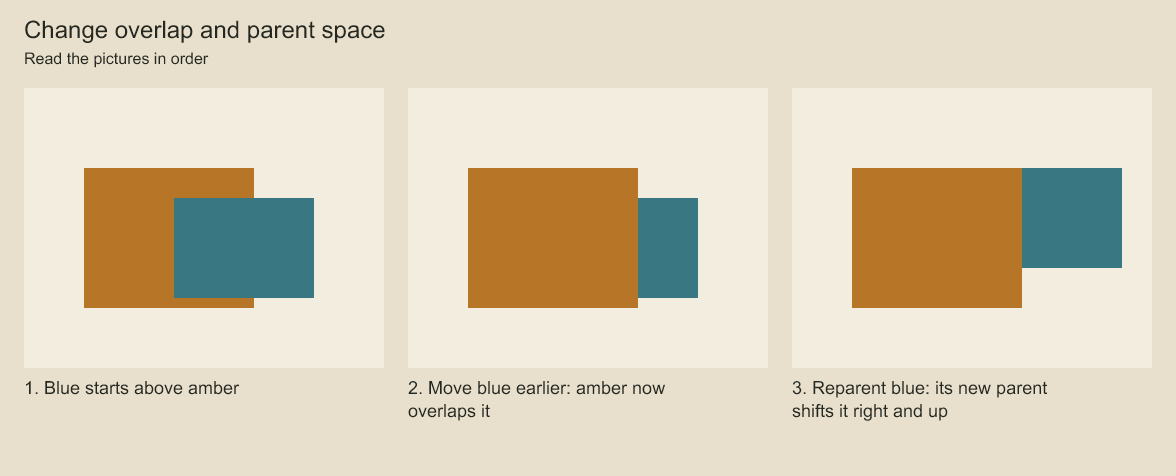
Blue first covers amber, then goes behind it, then shifts with an offset parent. Stack order controls overlap. Reparenting also changes the coordinate space.
Choose where rotation happens. Why does the same angle move an object differently?
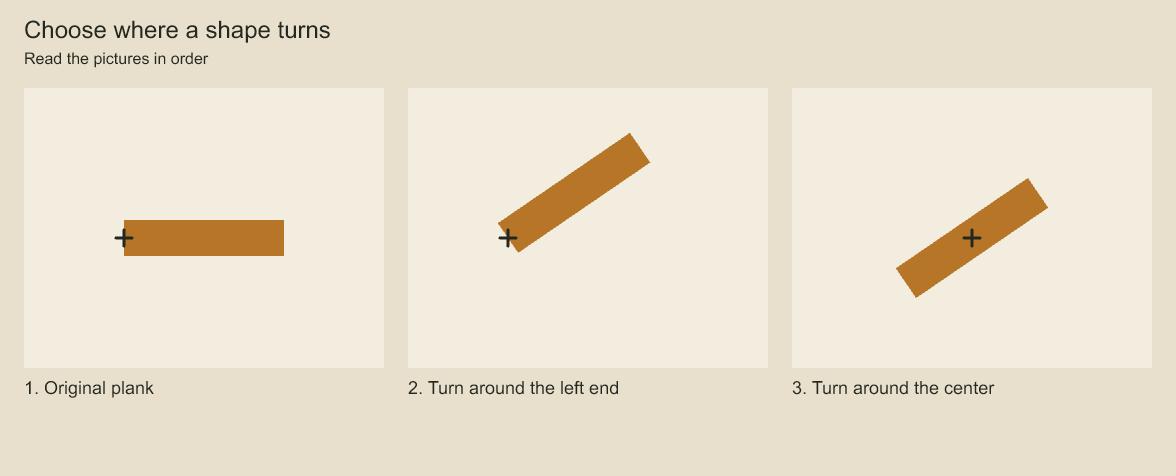
Follow the cross marking the rotation center as the plank turns. The pivot determines the point around which the layer rotates.
Change stacking and parenting
project.production.moveLayer(shade.id, ink.id);
project.production.reparentLayer(ink.id, character.id);
moveLayer places a layer before another sibling; omit the destination to move it to the end of its stack. reparentLayer changes its group; use null for the panel root and beforeLayerId to choose the destination stack position. Reparenting changes the coordinate hierarchy, so review placement when parent transforms differ. Mask and drawing-sequence relationships must remain valid.
production.removeLayer(id) removes a layer and its descendants. A selection's remove() deletes selected elements or its selected layer. Review locks block changes by other actors; deleting locked artwork requires releasing the lock first. Use a transaction for related changes and render before saving.
Partial transforms and pivots
Layer transforms contain X/Y translation, X/Y scale and radian rotation. Negative scale can mirror artwork. A layer pivot is in local coordinates. An element selection composes an affine placement matrix; a contour edit instead changes source coordinates. Those operations produce different future rotation and scaling behavior.
When feedback refers to a visible screen location, use coordinate conversion at the relevant frame. Parent transforms, animation and camera placement all contribute to that mapping.
Find a layer in a later session
const matches = project.production.find({ panelId: panel.id, name: 'Ink', kind: 'vector', limit: 10 });
console.log(matches);
const match = matches[0];
if (!match) throw new Error('No matching Ink vector layer found');
const layer = project.production.layer(match.id);
Read the returned IDs and kinds before editing. Names can change; retain stable IDs for repeatable revisions. See review and revision for a complete loop.
Codeboard by Nonom Friedman
Explore Nonom Library