Reusable artwork and components
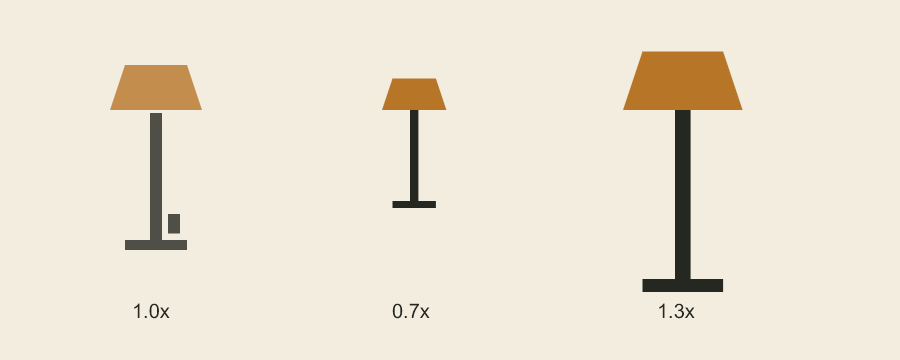
One captured group produces three independently editable instances.
A component captures static artwork for repeated placement. Use it for props, background details, or a single character drawing. Use a drawing sequence for a performance with changing poses.
Capture and place
Start with a project and panel as in project concepts, then create a source layer. With pathCommands imported from codeboard-studio:
const sourceLayer = panel.addVectorLayer('Lamp');
sourceLayer.path(pathCommands('M 0 0 L 16 0 L 16 120 L 0 120 Z'), {
  fill: '#272721',
});
const destinationPanel = panel;
The next snippet places a copy in the same panel. Use another panel handle for cross-panel reuse. The source stays visible unless you deliberately hide or remove it.
const componentId = project.production.captureComponent(sourceLayer.id, 'Street lamp');
const instanceId = project.production.instantiateComponent(
  componentId, destinationPanel.id, { x: 420, y: 80, scaleX: .8, scaleY: .8 },
);
The capture includes the layer's descendants. A capture must include its mask dependencies. A whole drawing-sequence group cannot be captured as a static component; capture an individual drawing instead.
An instance is editable artwork with its own IDs. Moving or correcting it does not change other instances. The source component and placed instances have distinct revision behavior.
Change the source deliberately
correctedSourceLayer below is a layer handle containing replacement artwork you authored. You can also edit the original sourceLayer and pass its ID as the replacement source.
project.production.reviseComponent(componentId, correctedSourceLayer.id);
project.production.refreshComponentInstance(instanceId);
Revising the component does not silently replace existing instances. Refresh is the explicit replacement step and can discard that instance's local changes. Save a named revision first when those changes matter. If attached review comments prevent replacement, preserve their anchors or explicitly choose the supported comments: 'anchor-to-instance' refresh option.
Reuse a drawing without copying
Within one drawing track, refer to the same child drawing ID at multiple exposure keys. To create an independently editable variation, use duplicateDrawing(groupId, drawingId, name), then assign the new drawing to the intended range with setDrawingRange.
Components preserve the representation of their contents. Vector contours remain contour-editable; raster surfaces remain pixels; replay strokes retain their brush commands. A placed bitmap does not become a poseable character.
Codeboard by Nonom Friedman
Explore Nonom Library