Layers and composition
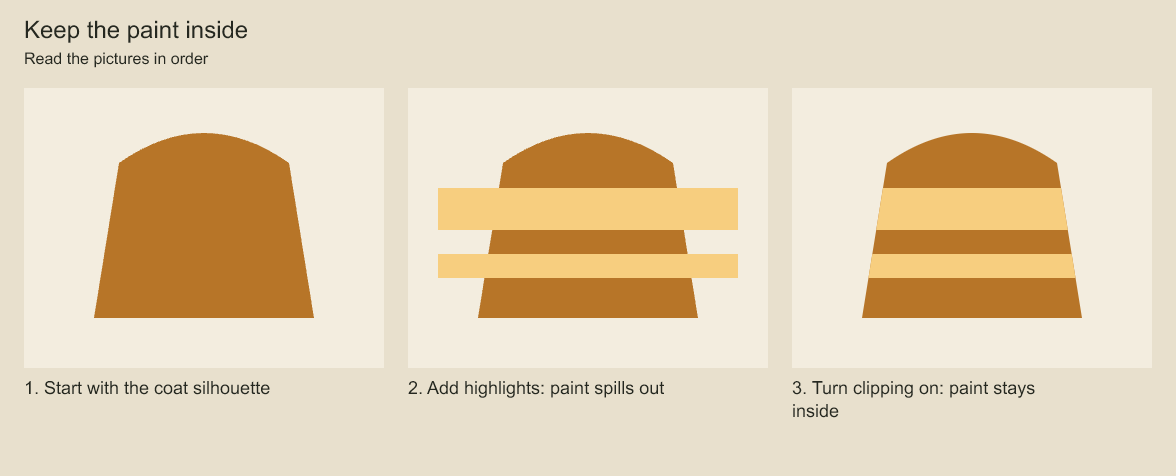
Compare the middle and right panels: only clipToBelow changes. Both layers belong to the same sibling stack.
The snippets use a project and panel created in project concepts. Create artwork before applying operations to its IDs; a new group is empty until you add child layers and elements.
Use layers to separate roughs, clean-up, paint, and reusable parts of a character. A group can contain raster layers, vector layers, or other groups.
const character = panel.addGroup('Character', { id: 'character' });
const rough = panel.addRasterLayer('Rough', { opacity: .3 }, character.id);
const ink = panel.addVectorLayer('Ink', {}, character.id);
const shade = panel.addRasterLayer('Shading', {
  blendMode: 'multiply', opacity: .6,
}, character.id);
Layers render in their stored order, with later layers over earlier ones. Group transforms and opacity affect their children.
For full input shapes, see LayerOptions, LayerChanges, Transform, and Pivot in API types.
Move, rotate, or hide a layer
Mix overlapping colors. How does the upper layer combine with the lower one?
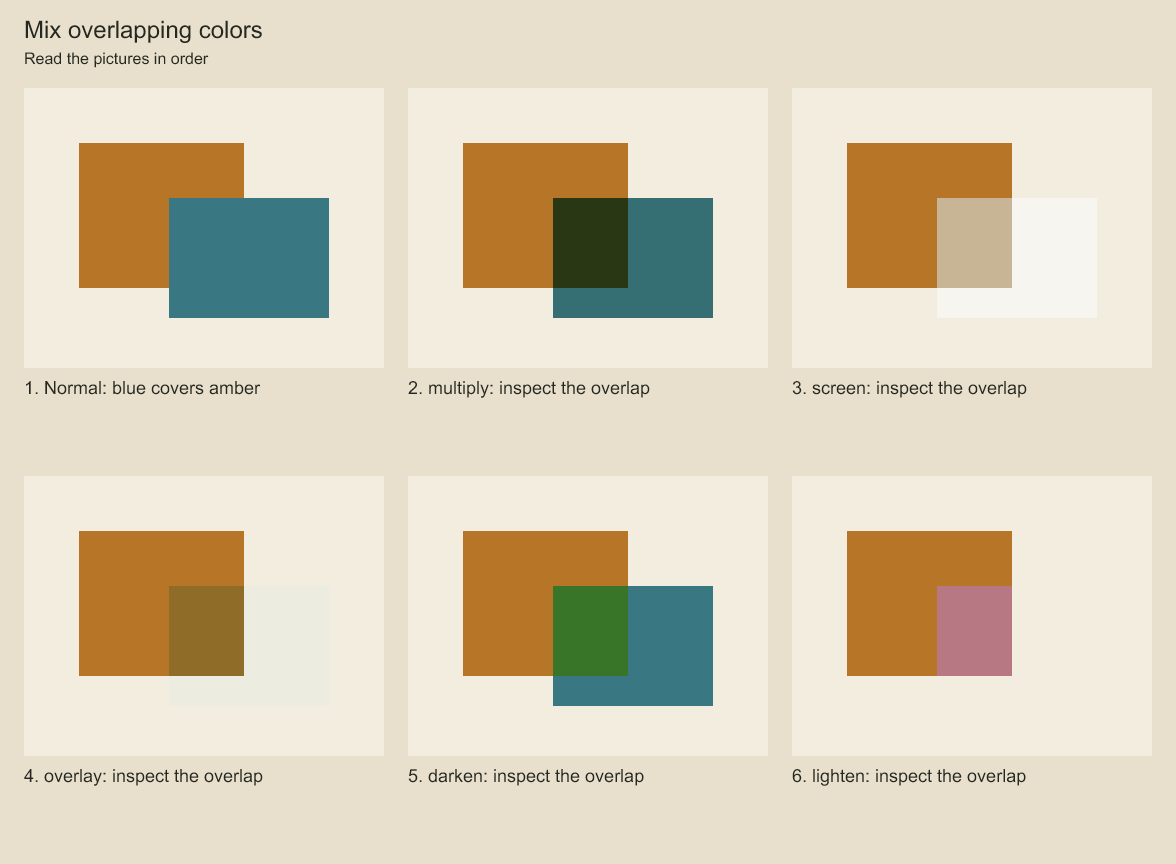
Compare the central overlap and the exposed blue area against the paper background. The geometry stays fixed. A blend mode combines source and destination colors, including the scene background. Its result depends on both.
character.set({ transform: { x: 80, y: 0, scaleX: 1, scaleY: 1, rotation: .1 } });
rough.set({ visible: false });
shade.set({ opacity: .4 });
Rotation is in radians. Set a layer pivot to control its rotation and scale origin. The base transform places artwork; keyframes change placement over time.
Select specific artwork
project.select({ panelId: panel.id, layerId: ink.id, elementIds: [contourId] })
  .transform({ x: 20, y: -10 });
An element selection changes those elements' placement. Selecting the layer without element IDs changes the layer. Use layer.edit(id, updater) to change source geometry instead of moving the whole element.
Clip and mask
Reveal artwork through a mask. How can you move a boundary without moving the paint?
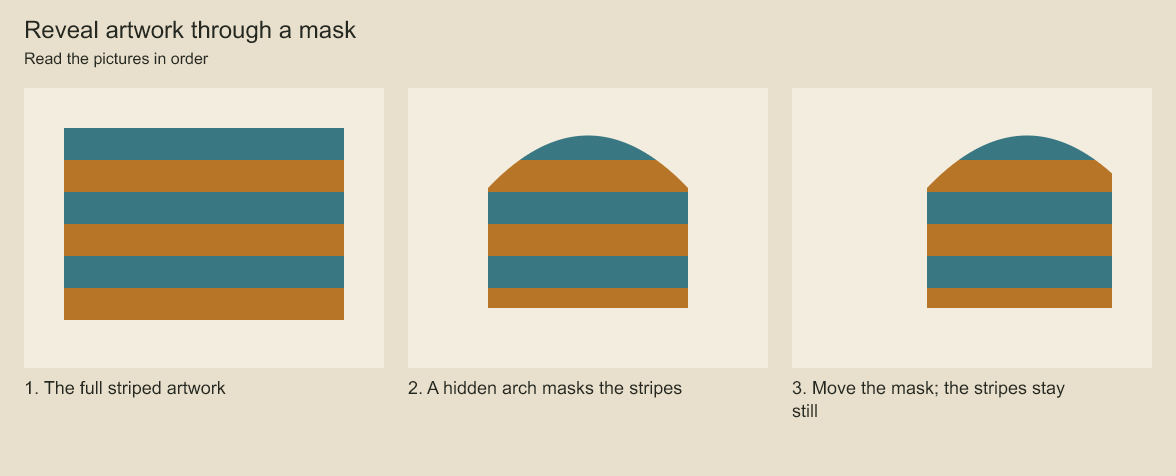
The arch moves right while the stripes stay in their original positions. A mask supplies alpha coverage from another layer, including a hidden layer.
clipToBelow: true clips a layer to the preceding layer's alpha. Use it for shading or highlights that should remain inside a painted silhouette.
const silhouette = panel.addVectorLayer('Silhouette');
// Draw the silhouette into this layer before adding the highlights.
const highlights = panel.addRasterLayer('Highlights', { clipToBelow: true });
For an explicit mask, set maskLayerId to another layer in the same sibling stack. The mask's alpha controls visibility. Clear a mask with layer.set({ maskLayerId: null }). Masks and clipping are compositing operations; the source artwork remains editable.
Supported blend modes are source-over, multiply, screen, overlay, darken, and lighten.
Codeboard by Nonom Friedman
Explore Nonom Library