Pixel surfaces and selections
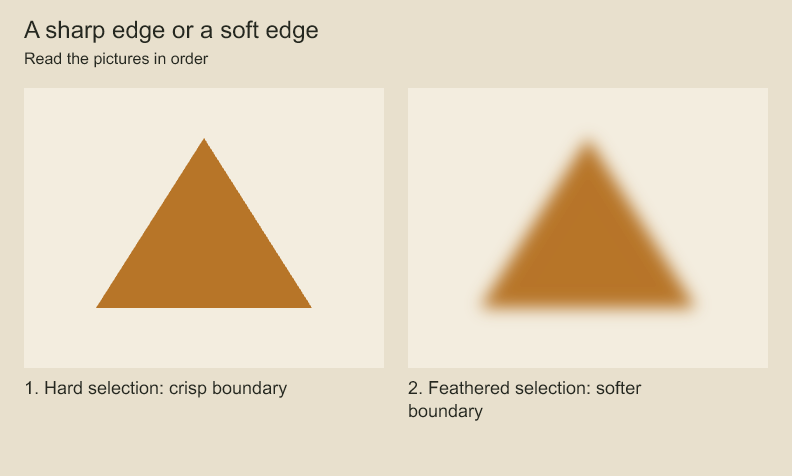
The shape and fill color are unchanged. The right sample feathers selection coverage before filling.
Start with a project and panel from project concepts. These are separate recipes: the import and polygon examples both declare image and surfaceId, so choose one rather than pasting both declarations into the same scope. For the polygon recipe, first create const paint = panel.addRasterLayer('Pixels').
A raster surface stores editable RGBA pixels. It differs from a replayable brush stroke: changing a surface edits pixel values, while changing a stroke changes pen samples and brush settings that are painted again.
Import an image as editable pixels
import { readFile } from 'node:fs/promises';
import { decodePixels } from 'codeboard-studio';
const image = await decodePixels(await readFile('texture.png'));
const paint = panel.addRasterLayer('Texture');
const surfaceId = paint.rasterSurface(image, {
  name: 'Paper texture', opacity: .4,
  matrix: [1, 0, 0, 1, 120, 80],
});
Pixels use straight-alpha, sRGB RGBA8: four bytes per pixel, row by row. matrix places source pixels in the layer's coordinates. Keep image-resolution coordinates separate from panel or camera coordinates. Importing a flat image does not infer separate objects, depth, or character joints.
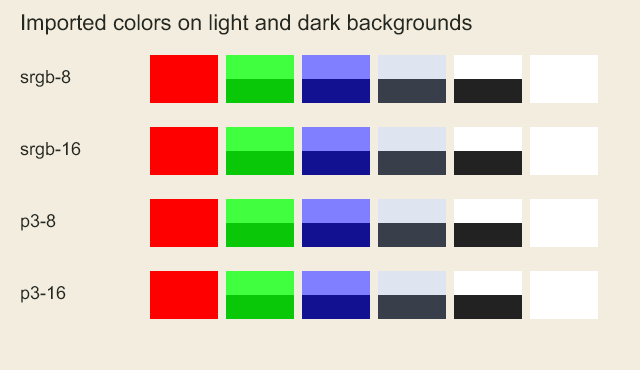
decodePixels applies an explicit output ICC transform to sRGB before returning raw bytes. Imported profiles and higher channel precision are not retained in the RGBA8 surface; retain original source files when needed. Untagged RGB images are interpreted as sRGB. Decoder warnings, including damaged profiles that would otherwise be ignored, reject with INVALID_ARGUMENT and details.reason: "IMAGE_DECODE_WARNING".
Fill a polygon selection
import { createPixels, polygonPixelSelection, featherPixelSelection, fillPixels } from 'codeboard-studio';
const image = createPixels(256, 256);
const polygon = polygonPixelSelection(256, 256, [
  { x: 30, y: 210 }, { x: 90, y: 40 }, { x: 225, y: 170 },
]);
const selection = await featherPixelSelection(polygon, 2);
fillPixels(image, [244, 129, 54, 255], { selection });
const surfaceId = paint.rasterSurface(image);
Coverage uses one byte per source pixel: 0 excludes it and 255 fully selects it. featherPixelSelection is asynchronous and uses a blur sigma in source pixels; zero disables feathering. Polygon fill rules are nonzero and evenodd.
Select by color or combine masks
import { colorPixelSelection, combinePixelSelections, invertPixelSelection } from 'codeboard-studio';
const color = colorPixelSelection(image, 100, 100, { tolerance: 24, contiguous: true });
const intersection = combinePixelSelections(selection, color, 'intersect');
const outside = invertPixelSelection(intersection);
The seed must be inside the image. contiguous: true follows connected matching pixels; false considers matching pixels throughout the surface. Combine masks of equal dimensions with union, intersect, or subtract.
Edit a bounded region
One gesture, different materials. What changes when you draw with a brush, a vector or pixels?
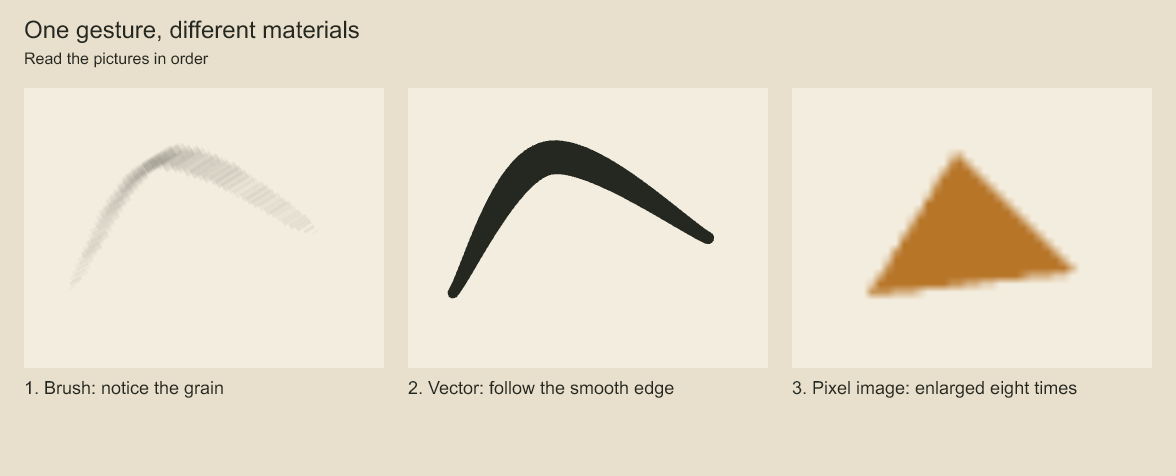
Compare the grain of the first stroke with the smooth edge of the second. The third picture enlarges a tiny pixel triangle; scaling softens its low-resolution edge. The brush and vector use the same pen path. The pixel triangle is a separate drawing that shows a different editing material.
paint.editPixels(surfaceId, { x: 40, y: 40, width: 80, height: 60 }, patch => {
  fillPixels(patch, [0, 0, 0, 80], { mode: 'destination-out' });
});
The callback receives a patch-local pixel buffer. Coordinates inside it start at (0, 0). source-over paints, copy replaces, destination-out erases by alpha, and source-atop paints within existing alpha. readPixels returns a copy; use editPixels to persist changes through the project.
For standalone buffers, readPixelRegion and writePixelRegion read and write patches. encodePixels returns PNG bytes. Layer transforms do not change the underlying surface resolution.
Import editable PSD pixels
Edit an imported pixel. Can an imported image remain editable?
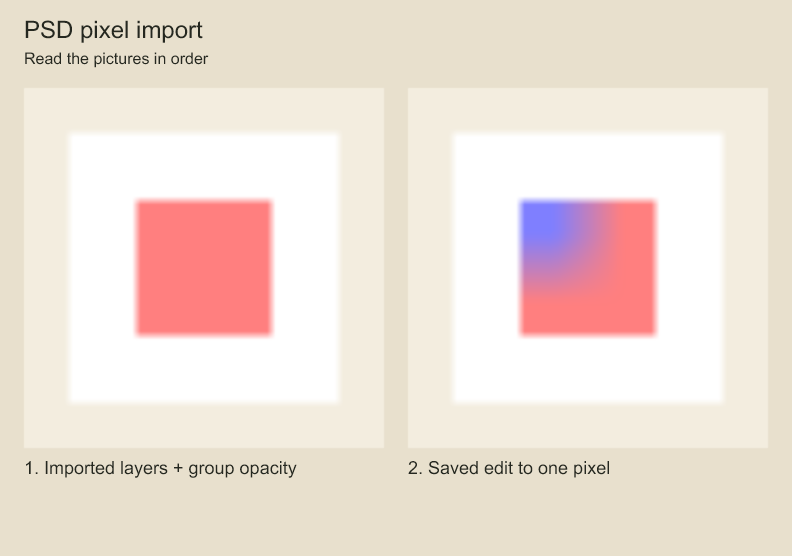
Compare the red area before and after import editing. The blue correction changes one source pixel, enlarged here so you can see it. Supported PSD layers become native editable layers. The sample is intentionally tiny so one pixel is visible.
importPSD reads a bounded subset of PSD v1: untagged RGB8 pixel layers and isolated groups,
with Unicode names, positions, visibility, opacity and six mapped blend modes. It returns
native layers and a source hash; it does not write files or mutate a project.
import { readFile } from 'node:fs/promises';
import { importPSD } from 'codeboard-studio';

const imported = importPSD(await readFile('artwork.psd'), {
  namespace: 'asset:background-v1',
  sourceColorSpace: 'srgb',
  lossPolicy: 'report',
});
console.log(imported.width, imported.height, imported.sourceSha256, imported.losses);
Choose a fresh namespace for each source to avoid project-wide ID collisions. The required
sourceColorSpace explicitly interprets untagged channels as sRGB; it is not an ICC conversion.
The default loss policy is reject. report permits omission of recognized non-rendering
metadata and returns its paths/reasons; it does not permit discarding unsupported artwork.
Tagged profiles, PSB, clipping, masks, pass-through groups, text, effects, smart objects and unknown blocks reject. Raw, RLE and bounded ZIP channel data are accepted, with limits of 64 MiB input, 256 layer records, 32 megapixels of decoded layers and group depth 16. The merged preview is ignored; rendering uses imported editable layers. PSD export is not implemented.
Measure a revision
import { comparePixels } from 'codeboard-studio';
const difference = comparePixels(beforeImage, afterImage, { threshold: 2 });
console.log(difference.changedPixels, difference.bounds);
Images must have equal dimensions. The comparison accounts for alpha and reports changed-pixel bounds, maximum channel difference, and mean absolute difference. A small numeric difference is evidence of changed pixels, not proof that an illustration improved.
Codeboard by Nonom Friedman
Explore Nonom Library