Sequences, shots, and panels
A sequence contains scenes; a scene contains shots; a shot contains ordered panels. A panel is an artwork composition with a duration and production captions. A storyboard sheet is a separate page layout built from those panels.
Explain a move on the board. How can a still board communicate movement?
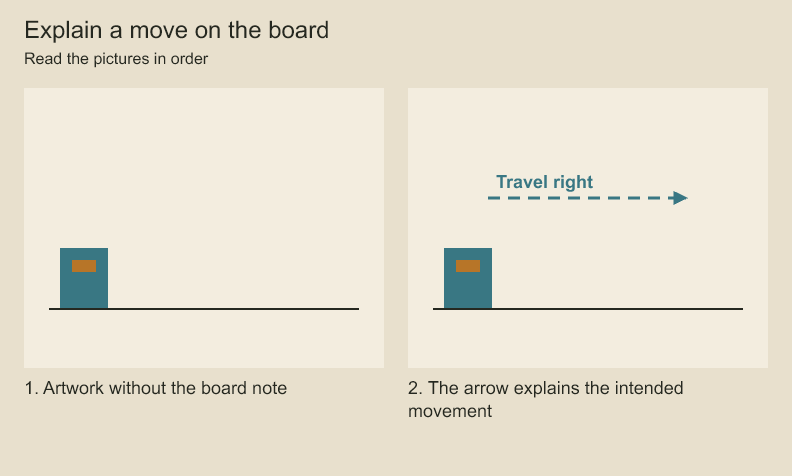
Only the second picture contains the labeled motion arrow. A motion annotation describes intent. It does not animate the artwork.
Where does a drawing live?. How do scenes, shots, panels and layers fit together?
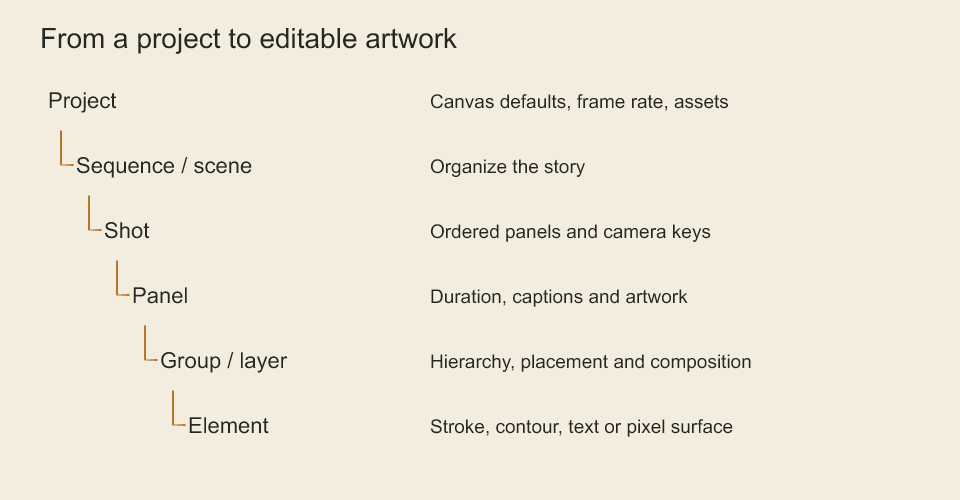
Read from the whole project toward individual artwork. Each level gives you a smaller part to organize or edit. Story structure and drawing layers solve different problems. This is an explanatory diagram, not a rendered film.
Build a shot from several beats
import { StoryboardProject } from 'codeboard-studio';
const project = StoryboardProject.create({
  title: 'One considered hop', width: 1920, height: 1080, frameRate: 24,
});
const sequence = project.addSequence('The obstacle', 'obstacle');
const scene = sequence.addScene('Street', 'street');
const shot = scene.addShot('Notice and decide', 'notice-shot');
const notice = shot.addPanel({
  id: 'notice', number: '01A', title: 'Notice', durationFrames: 48,
  action: 'The character stops at the line.', dialogue: '',
  camera: 'Locked medium wide.', notes: 'Let the gaze lead the body.',
});
const prepare = shot.addPanel({
  id: 'prepare', number: '01B', title: 'Prepare', durationFrames: 24,
  action: 'Weight lowers before the push.',
});
Panel captions describe the action; they do not generate artwork. Draw each panel through its layers, or use a drawing sequence within a panel for changing poses. Choose the number of panels according to the action you need to explain.
Codeboard by Nonom Friedman
Explore Nonom Library