Animate mouth drawings from cues
Map supplied dialogue cues to existing mouth drawings, then add manual corrections. Codeboard does not transcribe the recording or generate mouth artwork.
Hold a mouth shape, then correct it. How does a manual mouth correction affect the sequence?
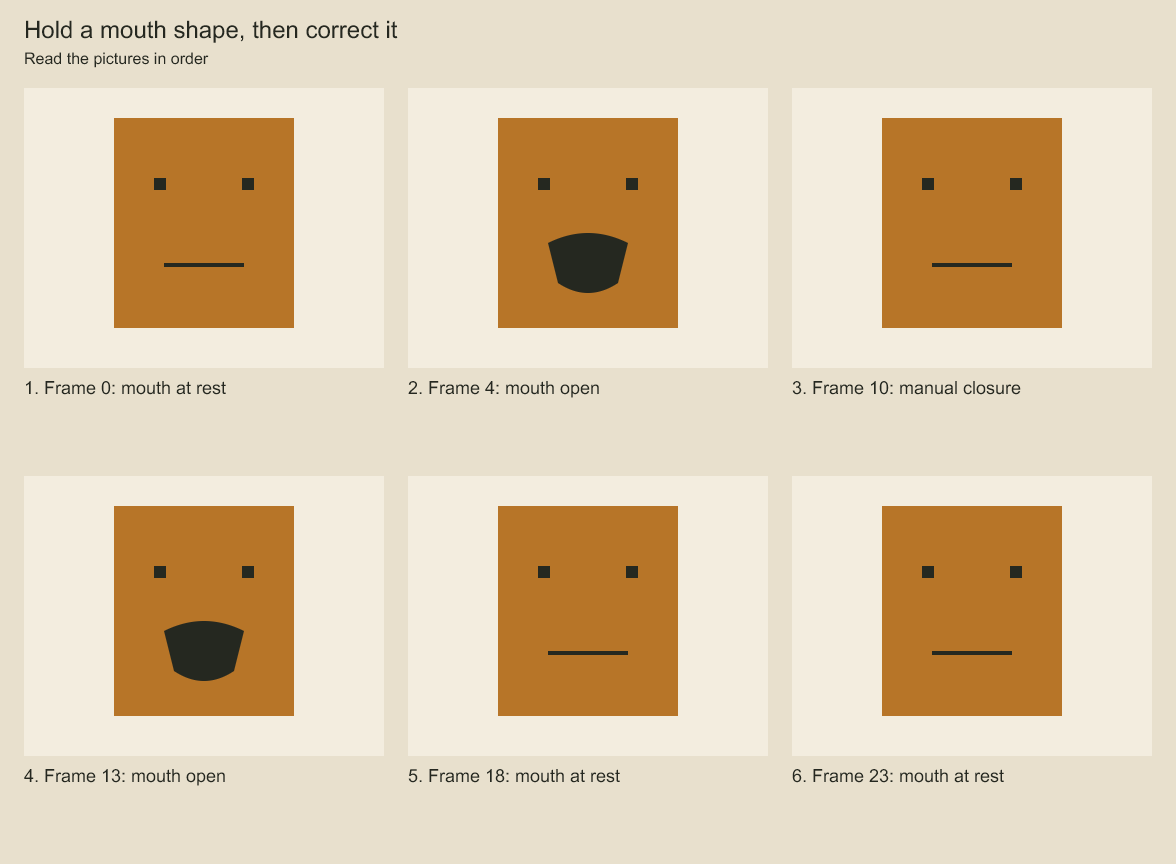
Read the mouth shapes in frame order. At frame 10, the authored correction replaces the automatic cue. Mouth drawings are held over ranges of frames. A manual correction can preserve an intentional closure.
Map mouth cues to editable drawings
compileLipSync turns frame cues and a mouth-to-drawing map into normal DrawingExposure keys. Ranges are half-open (startFrame inclusive, endFrame exclusive). Gaps use restDrawingId; null explicitly blanks the track. Manual correction intervals override cues and restore the underlying cue/rest at their end. Overlapping cues, overlapping corrections, unknown mouth labels and intervals outside the requested range reject instead of guessing.
For an existing shot drawing group, planShotLipSync applies only the requested local-frame window and restores the pre-existing drawing at its end:
import { planShotLipSync } from 'codeboard-studio';

const plan = planShotLipSync(project, 'animation:dialogue', 'layer:mouth', {
  startFrame: 0, endFrame: 72,
  mouths: { A: 'drawing:open', M: 'drawing:closed' },
  restDrawingId: 'drawing:closed',
  cues: [
    {startFrame: 8, endFrame: 18, mouth: 'A'},
    {startFrame: 18, endFrame: 24, mouth: 'M'},
  ],
  corrections: [{startFrame: 12, endFrame: 14, drawingId: 'drawing:closed'}],
});
// Persist the plan before committing so a timed-out request can be retried unchanged.
await project.commit(plan, {requestId: 'dialogue-mouth-pass-01'});
The group must already have a drawing sequence and direct-child mouth drawings. Every used drawing ID is validated against that group. Existing keys outside the requested range stay in place; artwork is unchanged. Cue times use the shot's local frame domain, so moving the editorial cut does not retime the mouth keys.
The saved project contains the resulting editable exposures, not a hidden speech-processing service. Keep cue/mapping inputs in TypeScript or JSON source when you need to regenerate them. Manual corrections included above are baked and survive save/reopen. Later direct exposure edits also persist; rerunning generation over the same range intentionally replaces those keys, so include wanted corrections in the new input. No phoneme detector or automatic acting-quality approval is supplied.
rescaleLipSync(options, { sourceRate, targetRate, rounding }) converts the full input range,
cue intervals and manual correction intervals together into a detached { options, report }.
Both rates are rational { numerator, denominator } values. Frame positions use exact rational
intermediates; the default exact rejects fractional results. Explicit nearest, floor or
ceil allows rounding but never drops a collapsed cue/correction. Signed local positions are
supported. Mouth labels, drawing mappings and correction assignments are retained. The report
counts converted endpoints and quantized endpoints, including the outer range.
For reanalysis, retain the source correction records while replacing cues, then rescale the
combined input to the target shot clock and pass the returned options to planShotLipSync.
For example, 24→48 fps maps a correction [10,13) to [20,26). Update the shot duration/rate
separately with timing.retime; this helper does not edit the project or stretch audio. Stored
source options should carry their frame rate so they are not converted twice. Direct edits to
baked drawing keys cannot be inferred as correction records; preserve those deliberately in
the source options before regeneration. Out-of-range retained corrections reject.
Codeboard by Nonom Friedman
Explore Nonom Library