Deform artwork with a mesh
Bind a triangle mesh to a shot layer or group, then animate its vertices. Start with a small mesh and review intermediate poses as well as the keys.
Bend the artwork. Can an image bend without redrawing its contents?
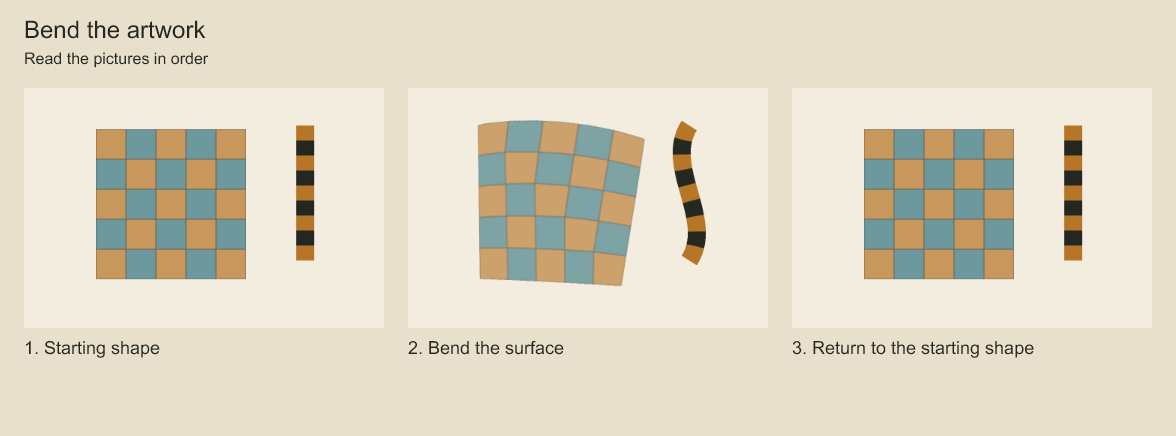
Follow the colored surface across the three poses. Its internal marks travel with the deformation. A mesh moves the surface and the artwork together. The technical report also exercises copying and merging; the main comparison isolates the bend.
Bend a transparent surface. Will a mesh create a seam through transparent paint?
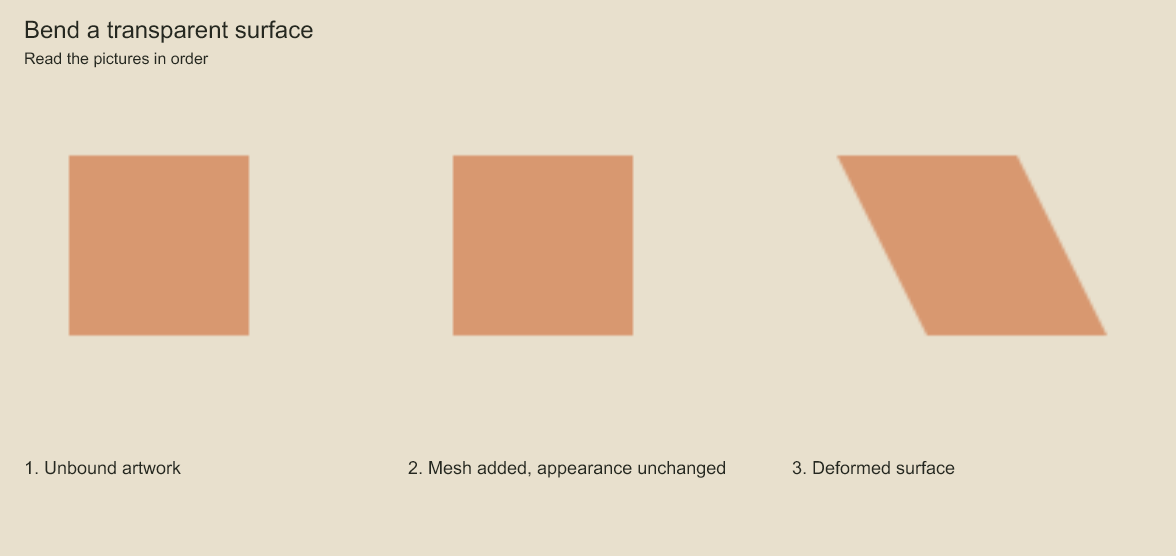
The first two squares should look the same. In the sheared square, look for an unwanted dark diagonal across the surface. The shared triangle edge should not paint a transparent pixel twice. The background is included only to make transparency visible.
Bend the stripes and their boundary. What happens to a mask when its artwork bends?
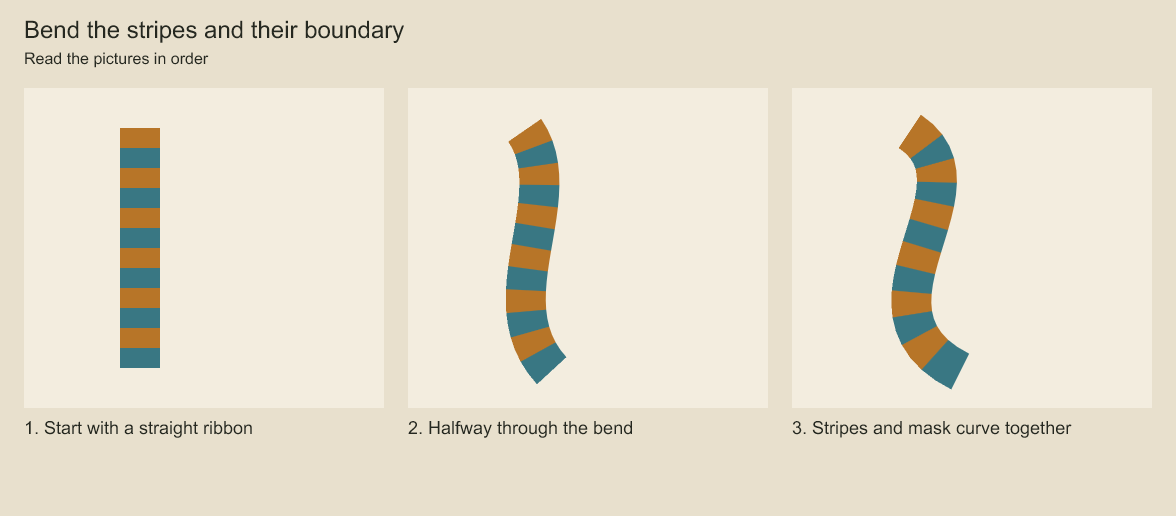
Follow the striped ribbon from straight to curved. The visible boundary bends with the stripes instead of cutting across them. The deformation carries the artwork and mask together, even when the parent enlarges the drawing.
Shot mesh authoring
A shot can bind one indexed vertex animation to each layer through meshes: [{ layerId, mesh }].
layer.mesh replaces a binding; mesh: null removes it. Use the same edit through
reviseShotAnimation, project.editShotAnimation, or an animation.edit plan.
For an existing binding, layer.mesh.key.put takes { layerId, key: { frame, vertices, easing } }.
It inserts or replaces the complete pose at that signed local frame and keeps other keys.
layer.mesh.key.remove takes { layerId, frame } and requires an existing key. Mesh keys use
frame identity; moving a pose requires remove and put in one batch. Removing the last key
retains the binding and its bind pose. Neither operation changes source vertices or topology.
Missing bindings/keys reject with MESH_BINDING_MISSING/MESH_KEYFRAME_MISSING plus edit
context. Final draft validation still enforces vertex counts, geometry and track budgets;
interpolated frames remain validated at evaluation time.
const revised = reviseShotAnimation(animation, [{
  op: 'layer.mesh',
  layerId: 'layer:art',
  mesh: {
    source: [{ x: 0, y: 0 }, { x: 200, y: 0 }, { x: 0, y: 200 }],
    triangles: [[0, 1, 2]],
    keyframes: [
      { frame: 0, vertices: [{ x: 0, y: 0 }, { x: 200, y: 0 }, { x: 0, y: 200 }], easing: 'linear' },
      { frame: 12, vertices: [{ x: 0, y: 0 }, { x: 230, y: 20 }, { x: 20, y: 210 }], easing: 'linear' },
    ],
  },
}]);
The referenced layer must already exist. Bind and keyed vertices are in layer-local space; layer placement follows deformation. Artwork outside the bind triangles is omitted. Groups warp their composed children, including the selected drawing. Signed local key frames must be ordered and unique; interpolation uses the outgoing key's easing. No keys means the bind pose; frames outside the key range extend its nearest pose. Topology stays fixed across keys.
Each shot accepts at most 256 bindings. Each mesh accepts 4096 triangles, 12288 vertices, 4096 keys and 262144 stored vertex positions. Validation rejects duplicate bindings, missing layers, empty geometry, malformed topology, degenerate faces and winding reversal. Valid key poses do not guarantee valid in-between geometry: render evaluation validates the requested pose and can reject it. Global triangle intersections are not currently prohibited.
Bindings are retained by the strict shot/studio schema and existing plan/persistence payloads. Remove bindings before removing their layers or descendants in the same edit batch; dangling bindings reject the final draft. Reparenting retains layer-local vertex coordinates. Older runtimes with strict shot schemas reject the new field: keep the original project for older readers, and do not strip bindings as a compatibility conversion.
shotCoordinates rejects any target beneath a mesh binding with NON_AFFINE_COORDINATES;
a single affine matrix cannot describe the warp. Use shotPointCoordinates below to map
individual points. Masks crossing independently deformed ancestors reject explicitly.
Mesh surfaces use CPU rasterization with fixed 2×2 subpixel coverage and a top-left edge rule. Coverage samples are composited before resolving the output pixel, preventing shared triangle edges from reducing transparent alpha. Texture shading uses premultiplied bilinear sampling at pixel centers; identity warps retain texels. Actual overlapping faces composite in triangle order with source-over. Source textures and output remain RGBA8, not a floating-point color pipeline. The existing 32-megapixel surface limit still applies. Each warp also caps the sum of clipped triangle bounding-box coverage tests at 268435456 samples before reading texture pixels.
Map points through mesh and parent transforms
const mapped = shotPointCoordinates(animation, 'layer:art', { x: 25, y: 40 }, {
  direction: 'localToFrame', frame: 12, camera: true,
});
const inverse = shotPointCoordinates(animation, 'layer:art', { x: 80, y: 90 }, {
  direction: 'frameToLocal', frame: 12, camera: true,
});
The target may be a layer or drawing element. The query applies the element matrix, then each layer's mesh and placement from child to root, followed by the root's camera/depth mapping. Inverse queries reverse that order. Frame defaults to zero; camera defaults to true. Frames may be signed safe integers, including preroll and frames outside the shot duration.
Each result contains candidates, with a mapped point and a faces trail of layer IDs,
triangle indices and barycentric weights in traversal order. No candidates means the point
fell outside a mesh domain. Shared edges and overlaps can produce multiple candidates,
including identical mapped points; no candidate is silently selected or deduplicated.
Without deformation, the result has one candidate with an empty face trail.
Singular or unsafe affine inverses reject with SHOT_POINT_TRANSFORM; forward mapping can
still map a point through a collapsed transform. Candidate expansion is capped at 4096 per
step and intermediate/final responses at 256 KiB, with resource-limit errors rather than
truncation. This is a geometric query, not a visibility or hit-test result: opacity, exposure,
drawing selection, masks, clipping and final canvas cropping do not filter candidates.
Review intermediate poses when combining nested deformations.
Mesh textures account for layer and ancestor magnification when selecting raster resolution. This avoids an unnecessary low-resolution intermediate when artwork is enlarged. Existing surface-pixel and raster-work budgets still apply: extreme magnification can reject before allocating its texture rather than silently lowering quality.
For repeated frames, use createShotRenderSession(animation). It snapshots the shot and
prepares each bound mesh evaluator once, then evaluates and validates the requested pose
on every frame. createEditorialRenderSession retains a session for each source shot it
actually renders, including transition inputs. These are session-local snapshots, not a
global cache; create a new session after editing the source. Pose errors include the
animation ID, layer ID and frame.
Inspect mesh data in pages
shotMeshData(animation, layerId) returns the first page of key metadata, without pose vertex
arrays. Select collection: 'triangles' for indexed topology or collection: 'vertices' for
bind vertices. Add frame only to a vertex query to inspect its evaluated local pose:
const keys = shotMeshData(animation, 'layer:art');
const pose = shotMeshData(animation, 'layer:art', {
  collection: 'vertices', frame: 12, offset: 0, limit: 50,
});
Pages contain items, total, offset, effective limit, nextOffset, and counts of vertices,
triangles and keys. Item indices retain their full-collection position. Vertex pages return
frame: null for bind data; signed frame queries use normal mesh evaluation and can reject
invalid interpolated geometry. Key pages include frame/easing only. An offset past the end
returns an empty page. Follow nextOffset against the same unchanged snapshot; it is not a
revision-pinned cursor.
Page size defaults to 50 and is capped at 200; each response is limited to 256 KiB. Results are detached from the input. These limits bound response data, not total input validation cost: the query still validates a complete shot snapshot. Missing bindings reject explicitly.
On an open project, use project.shotMeshData(animationId, layerId, query) and
project.shotPointCoordinates(animationId, targetId, point, options) for the same contracts
without retrieving the full animation in calling code. Saved-file pagination is available
through the mesh-data CLI, including an expected-version check.
Foreign layer locks include that layer's mesh binding; group locks include bindings on all
owned descendants. Project transactions compare those shot-level records along with the
locked artwork, so key edits, binding removal and whole-shot/studio replacement use the same
protection. Reordering equivalent bindings alone does not change locked artwork. This protects
owned data, not every upstream influence on its appearance. Standalone reviseShotAnimation
operates on detached values and has no project lock context; publish through project mutations
or saved plans to enforce project locks.
Codeboard by Nonom Friedman
Explore Nonom Library