Return a deformation to its rest pose
Add a rest key to a mesh, curve or envelope without deleting its other poses. Joint-driven skins return to rest through their joint keys.
Reach, then return to rest. How do you get back to the original arm pose?
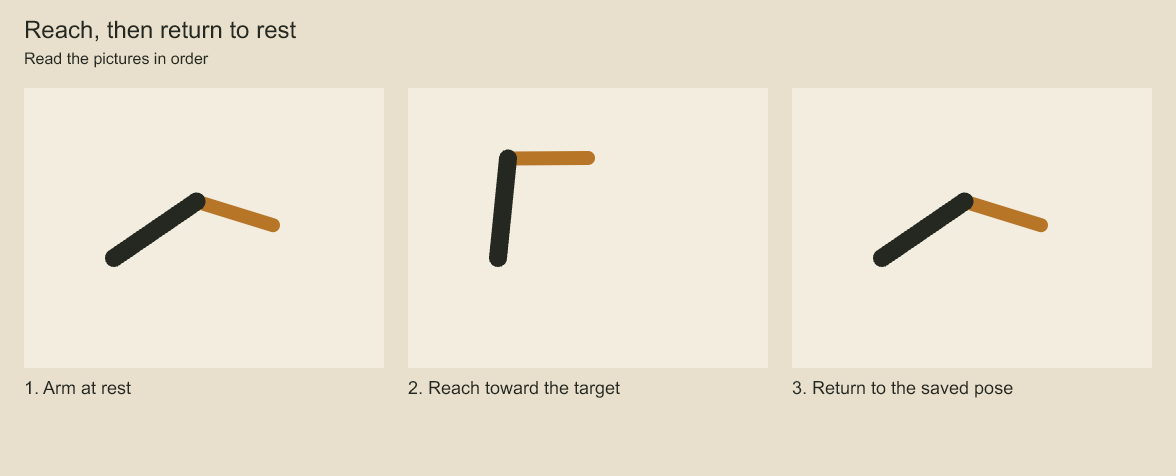
Compare the first and last arm positions. The middle picture shows the reach; the last restores the saved rest pose. A stored rest pose provides a repeatable starting position for the rig.
Return a deformation to rest
project.editShotAnimation(animationId, [{
  op: 'layer.deformation.rest.apply', layerId, frame: 48, easing: 'hold',
}]);
The operation inserts/replaces one ordinary key at a signed local frame, using mesh source vertices, curve rest controls/width or envelope rest boundaries according to the existing binding. Easing defaults to linear and controls the segment leaving this key; the preceding key determines the approach. Other keys and the rest/topology/grid definition remain intact. It does not clear animation or reset layer/ancestor transforms. Restore each affected ancestor separately when returning a nested deformation stack to rest. Missing bindings reject.
The operation delegates to the same key-edit path, including final geometry/budget validation, project locks and plan receipts.
Codeboard by Nonom Friedman
Explore Nonom Library